Turn a textbook page into an interactive exercise
Take a photo of a page with your phone, upload a PDF or Word file, or paste a screenshot. Letros recognises the exercise, picks the right type and fills in the answers. You check it and save it to a lesson.
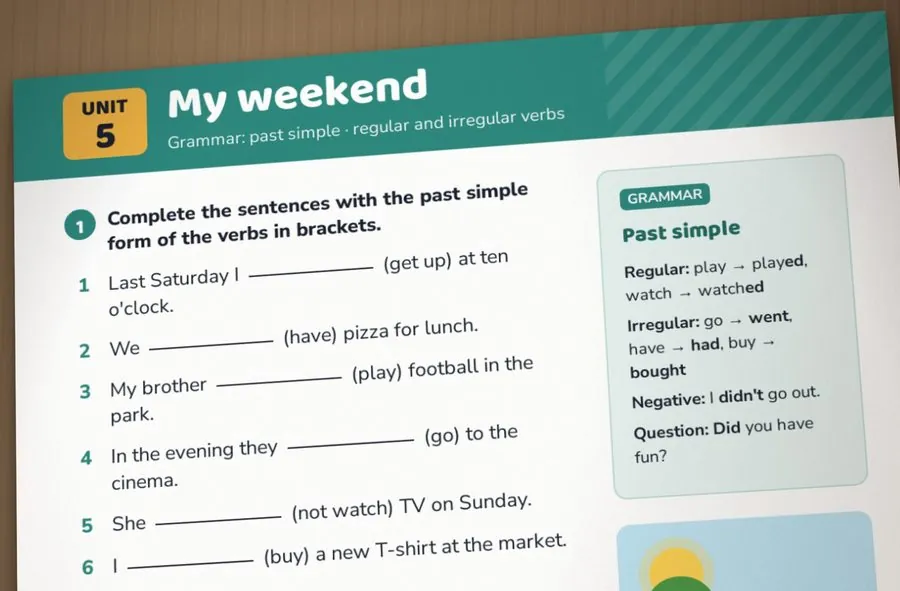
Your textbook, now checked automatically
Most teachers already have the material they need: a coursebook, worksheets, their own PDFs. What takes time is turning it into something students can do online and that checks itself. Letros does that step for you.
A recognised exercise opens in the editor before it is saved, so nothing reaches students without your review. Change a gap, add a distractor, fix an answer and save.
Eleven exercise types from a photo
Letros chooses the type that fits the page:
- Fill in the blank
- Word choice
- Drag and drop
- Matching
- True or false
- Quiz
- Sort into columns
- Word order
- Vocabulary
- Writing reviewed by the teacher
- Article or reading text
Or describe what you need and let AI build it
Write a prompt, attach images, a PDF or a Word file, and AI builds several exercises at once, in the language of your course. Each one opens in the editor for review. A full lesson from your PDF takes about a minute.
Checked on the server, three attempts per item
Students get three attempts per item and see right away what is correct. The answers are checked on the server and never sent to the student's browser, so they cannot be looked up. You see each student's results and every wrong attempt.
Questions and answers
Which languages does it work with?
The 24 course languages Letros supports, among them Serbian, Croatian, Russian, Ukrainian, Polish, English, German, French, Spanish and Italian.
What files can I upload?
Photos (PNG, JPEG, WebP), screenshots, PDF and Word files.
Will the answers always be right?
Recognition is good but not perfect, which is why every exercise opens in the editor for you to check before saving.
Can I edit exercises later?
Yes. Every exercise stays editable, and you can move or copy it to other lessons and courses.
Ready for tomorrow's lesson?